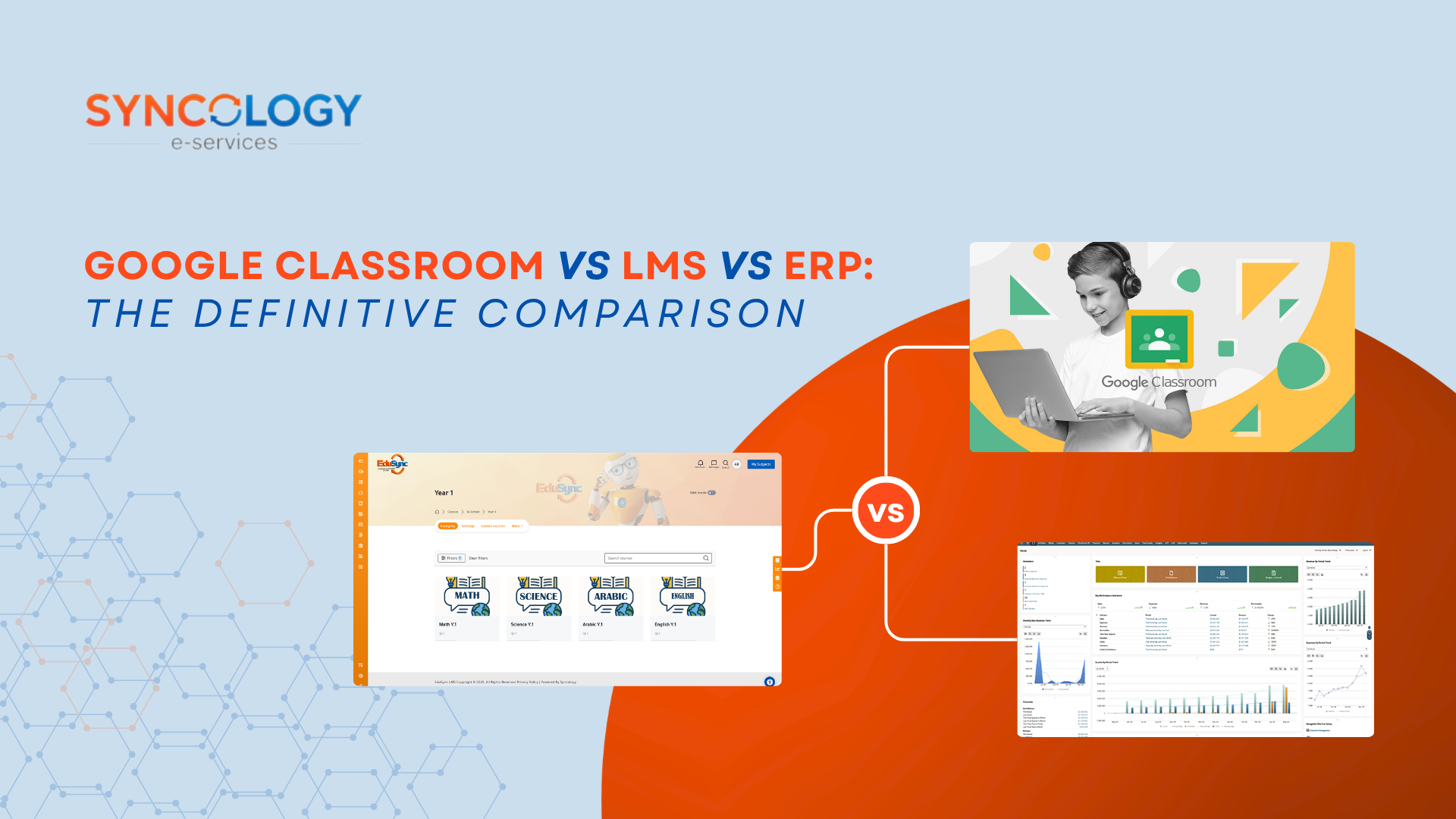

Google Classroom vs LMS vs ERP is one of the most common comparisons schools make when planning their digital transformation strategy. Many schools mistakenly believe these platforms serve the same purpose, when in reality they solve completely different problems. Selecting the wrong platform or misinterpreting its structural core can lead to wasted budget, administrative fatigue, and fractured operations. This comprehensive decision-making guide will help school owners, IT managers, and academic directors understand the precise boundaries of Google Classroom vs LMS vs ERP, outlining the unique roles of each architecture and how they can be strategically combined to create a unified educational ecosystem.
Google Classroom vs LMS vs ERP: What Is Google Classroom?
When evaluating Google Classroom vs LMS vs ERP, it is important to first examine the foundation of modern digital workflows. Google Classroom functions primarily as a lightweight, cloud-based learning platform built to streamline assignment management, file sharing, and direct classroom communication. Deeply unified within the Google Workspace for Education environment, it allows teachers to create classes, distribute digital handouts via Google Drive, grade submissions using Google Docs, and schedule virtual sessions via Google Meet.
Strengths of the Google Architecture
- Zero Licensing Cost: The base version is entirely free to use for certified K-12 educational institutions.
- Rapid Deployment: An entire school can be set up in a matter of days without specialized technical hardware.
- Familiar Interface: Because most students and teachers already use Google accounts, the learning curve is practically non-existent.
- Effective Classroom Management Software: It excels at day-to-day teacher-student tasks, grading loops, and basic communication.
Clear Administrative Limitations
Despite its widespread popularity, Google Classroom possesses structural limitations that prevent it from serving as a total institutional framework. It offers limited administrative capabilities and lacks native systems for finance management, human resources (HR), complex student enrollment, and admissions management. There are no tools to calculate multi-child tuition discounts, process payroll, track inventory, or manage transportation routes. The platform’s built-in reporting is restricted to basic assignment compliance rather than institutional auditing. Ultimately, it is a highly capable classroom tool, but it is not an all-in-one school management software platform.
Google Classroom vs LMS vs ERP: What Is an LMS and Its Capabilities Beyond Google Classroom
To understand the core dynamics of Google Classroom vs LMS vs ERP, schools must look past simple file sharing and examine the broader requirements of digital instructional design. A dedicated Learning Management System (LMS) provides capabilities far beyond Google Classroom, moving past basic assignment distribution to manage the entire pedagogical architecture of an institution.
[Google Classroom: Assignment Tracking] < [LMS: Curated Learning Paths + SCORM + Student Analytics]
Advanced Pedagogical and Instructional Functionality
A robust LMS for schools acts as a centralized engine for advanced course management and curriculum personalization. While Google Classroom treats assignments as isolated events, an LMS enables the creation of structured learning paths. Teachers can build sequential modules that require a student to master one topic or pass a specific prerequisite quiz before unlocking the next module.
Furthermore, an LMS supports broad instructional capabilities that are completely absent in standard Google setups:
- Rich Assessments & Question Banks: Supports diverse quiz formats, randomized question pools, time-restricted testing, and automated grading variations.
- Sophisticated Digital Gradebooks: Accommodates weighted grading criteria, custom rubric scales, and standardized national curriculum conversions.
- Student Analytics & Learning Reports: Provides deeper insights into student behavior, tracking time spent on specific reading modules, video engagement metrics, and individual concept mastery.
- Certificates & Compliance Tracking: Automates the distribution of digital badges and course completion certificates.
Institutions seeking alternative platforms often turn to standalone instances like a Moodle LMS, which provides deep open-source flexibility. A professional LMS offers significantly more instructional functionality than Google Classroom, enabling true academic management, digital learning tool hosting, and long-term educational tracking.
Google Classroom vs LMS vs ERP: What Is a School ERP/SMS?
While Google Classroom and standalone LMS frameworks focus strictly on the interaction between teachers and learners inside the physical or virtual classroom, a School Enterprise Resource Planning (ERP) or Student Information System (SIS) addresses the operational side of school management. An education ERP serves as the core operational nervous system of the institution, ensuring all business, administrative, and legal processes run smoothly.
Unlike Google Classroom or a standalone LMS, an ERP/SMS supports the entire institution, not only teaching and learning. It covers every non-academic and academic administrative variable required to run a school as a sustainable enterprise:
- Admissions & Enrollment Management: Manages the entire pipeline from prospective student applications and document verification to custom admissions exams and seat allocations.
- Centralized Student Information Management: Maintains the definitive, lifelong student record database, containing historical data, medical records, and legal documentation.
- Integrated HR & Payroll: Manages teacher contracts, staff evaluation metrics, attendance via biometric time-clocks, and complex monthly payroll calculations.
- Finance & Accounting Software: Drives the billing system, allowing schools to orchestrate complex tuition fee management, manage flexible installment paths, distribute sibling discounts, automate payment gateway clearing, and reconcile general financial ledgers.
- Timetables & Resource Optimization: Automatically designs master timetables, cross-referencing classroom availability, teacher hours, and student cohorts to prevent scheduling conflicts.
- Logistics Modules: Controls school transportation tracking, cafeteria inventory management, and academic supply procurement.
Feature Comparison Matrix: All Three Solutions
To clarify the structural differences across Google Classroom vs LMS vs ERP, the following matrix maps feature availability across the three platforms:
| Feature Dimension | Google Classroom | Learning Management System (LMS) | School ERP / SMS Platform |
| Assignment Management | ✅ Advanced / Native | ✅ Advanced / Native | ⚠️ Basic / Supplementary |
| Assessments & Quizzes | ⚠️ Basic (via Forms) | ✅ Advanced (Question Banks) | ❌ Not Supported |
| Learning Analytics | ❌ None | ✅ Advanced Behavioral Tracking | ❌ Not Supported |
| Attendance Tracking | ❌ Manual Input Only | ⚠️ Basic Course Attendance | ✅ Advanced (Biometric / SIS) |
| Student Records & SIS | ❌ None | ❌ None | ✅ Complete Lifelong Database |
| Admissions Management | ❌ None | ❌ None | ✅ Full Pipeline Automation |
| HR & Payroll Processing | ❌ None | ❌ None | ✅ Complete Operational Core |
| Accounting & Fee Billing | ❌ None | ❌ None | ✅ Complex Ledgers / Gateways |
| Parent Portal Accessibility | ⚠️ Email Summaries Only | ⚠️ Restricted to Class Views | ✅ Complete Financial/Academic Hub |
| Multi-campus Management | ❌ None | ⚠️ Limited Configurations | ✅ Native Multi-Branch Operations |
| Customization Flexibility | ❌ Restricted Ecosystem | ✅ High (e.g., Moodle Core) | ✅ Deep Operational Configuration |
| Mobile Access Engines | ✅ Native iOS & Android | ✅ Native Apps Available | ✅ Dedicated Admin & Parent Apps |
Every platform targets a different layer of school operations. An institutional failure occurs when a school attempts to force a classroom tool like Google Classroom to handle deep financial billing, or conversely, when they expect a rigid general ledger ERP tool to behave like an interactive, flexible digital learning tool inside the classroom.
Google Classroom vs LMS vs ERP: Cost Comparison
Understanding the financial impact of Google Classroom vs LMS vs ERP requires moving past subscription costs to analyze the Total Cost of Ownership (TCO). Each platform comes with distinct financial commitments across setup, maintenance, and growth:
1. Google Classroom: Low Direct Costs
- Upfront Fees: $0 for the baseline edition.
- TCO Variables: While the core software remains free, scaling up requires Google Workspace for Education paid tiers (such as Education Plus) to unlock advanced video features, security updates, or deeper integration tools. The true cost lies primarily in staff training and administrative management.
2. Learning Management System (LMS): Tiered Scale
- Upfront Fees: Varied pricing models based on total active users, per-student monthly fees, or flat annual site licenses.
- TCO Variables: For open-source architectures like Moodle LMS, the code is free, but schools must invest heavily in external cloud hosting (AWS or Azure), custom theme development, regular security patching, and specialized technical support to maintain high uptime during exam seasons.
3. School ERP / SMS: Enterprise Investment
- Upfront Fees: Premium enterprise licensing based on the size of the student body and selected modules.
- TCO Variables: The primary costs are front-loaded into data migration, workflow customization, staff training across departments, integration with payment networks, and annual support contracts. However, an ERP offers the highest ROI by replacing multiple disconnected apps, eliminating manual entry errors, and stopping revenue leakage in the tuition loop.
Which Solution Is Best for Small Schools?
When making a choice across the Google Classroom vs LMS vs ERP matrix, smaller institutions must align their technology investments with their current operational reality and immediate growth plans. A school’s size, financial resources, and digital maturity dictate which platform should take priority.
For very small schools, such as newly established kindergartens, micro-schools, or learning centers with fewer than 150 students and tight budgets, Google Classroom is often the most practical entry point. Its zero-cost license model allows teachers to distribute homework, track grades, and build a basic online learning setup without overwhelming the school’s budget or requiring a dedicated IT department.
However, if a small school prioritizes high-end digital learning, specialized distance courses, or comprehensive asynchronous learning, investing in a standalone LMS is the logical choice. This path provides the necessary pedagogical structure to track student progress without forcing the school into complex enterprise deployments.
For growing institutions that want to build a solid operational foundation right from the start, a School ERP is highly beneficial. Implementing an ERP early ensures that admissions management, student information tracking, and fee collection are organized systematically before administrative workflows become unmanageable. The ideal choice is never about picking the most popular tool; it depends entirely on aligning current operational challenges with future expansion goals.
Which Is Best for International or Multi-Branch Schools?
For large-scale international schools, elite private institutions, and multi-branch school groups, the debate over Google Classroom vs LMS vs ERP changes completely. Enterprise-level educational networks operate under heavy regulatory scrutiny, manage complex financial environments, and require high levels of academic consistency across multiple physical campuses.
Large-scale school groups cannot operate efficiently using isolated digital tools. They require comprehensive enterprise platforms for several key reasons:
- Multi-Campus Management: Executive directors need to switch between branch profiles to audit operations without managing separate system setups.
- Centralized Reporting & Analytics: Senior leadership requires unified dashboards to monitor outstanding tuition debt, overall enrollment trends, and staff utilization rates across all locations instantly.
- Shared HR & Standardized Payroll: Managing hundreds of international educators requires centralized contract management, localized tax compliance, and automated payroll systems that adjust for regional variations.
- Unified Financial Systems: Consolidating multi-currency revenue streams, general ledgers, and parent billing requires an enterprise ERP framework.
- Regulatory & Ministry Compliance: International schools must maintain accurate student records, attendance logs, and health statistics to pass strict ministry inspections.
As an educational institution scales, standalone classroom applications quickly hit an operational ceiling. Integrated ERP platforms become increasingly valuable because they unify disconnected data points into a single, compliant, and highly auditable framework.
Google Classroom vs LMS vs ERP: Can You Use All Three?
A major misconception in the Google Classroom vs LMS vs ERP debate is that schools must choose only one platform. In reality, modern educational technology thrives on interoperability. Schools do not need to discard the simple, user-friendly interface of Google Classroom; they can integrate it into a comprehensive digital ecosystem.
By connecting these three systems through modern API configurations and Single Sign-On (SSO) frameworks, a school can build a highly efficient architecture:
- The ERP System acts as the Core Database: It manages admissions, processes tuition billing, updates student records, and establishes the primary student roster.
- The ERP provisions the Academic Tools: Through automated sync integrations, the ERP populates student rosters directly into the LMS and Google Classroom environments, eliminating manual class creation for teachers.
- Google Classroom serves as the Daily Teaching Hub: Teachers use its familiar interface to share day-to-day files, message students, and collect daily homework assignments.
- The LMS tracks Advanced Progress: The LMS hosts detailed assessments, organizes SCORM modules, and structures long-term learning pathways.
- Data flows back to the Central System: Grades and attendance tracked within Google Classroom or the LMS sync automatically back to the ERP parent portals and master report cards.
This integrated approach offers the best of all worlds. Teachers get to keep the simple classroom management software they enjoy, while administrators secure the deep financial tracking, parent communication tools, and operational oversight they need.
Syncology’s Recommendation for Schools in Egypt & KSA
When navigating the complex choice of Google Classroom vs LMS vs ERP, Syncology recommends selecting your technology stack based on your specific school size, chosen academic model, long-term growth plans, and everyday operational complexity. Every educational market has unique challenges; schools in Egypt and the Kingdom of Saudi Arabia (KSA) face strict regulatory requirements, distinct digital payment preferences, and high demand for real-time parent engagement.
This is why Syncology built EduSync, an integrated education platform designed to serve as a comprehensive School ERP, a powerful School Management System (SMS), and a flexible LMS platform all under one roof.
For schools looking for a complete digital transformation, EduSync delivers a robust ecosystem tailored to modern institutional needs:
- Localized Financial Engines: Seamlessly handles localized tuition fee structures, sibling discounts, and integrations with regional payment networks like Fawry in Egypt and Mada in Saudi Arabia.
- Complete HR & Payroll Management: Automates staff attendance tracking, contract renewals, and monthly salary processing in full compliance with local labor laws.
- Native EduSync LMS Module: Enables teachers to build advanced learning paths, manage digital gradebooks, and track learning analytics without requiring separate third-party software subscriptions.
- Unified Parent Portals: Keeps families connected with real-time access to grades, attendance logs, behavioral reports, and secure online tuition payments from a single mobile dashboard.
- AI-Ready Architecture: Equipped with smart data tools designed to help school leaders forecast enrollment trends, identify operational bottlenecks, and optimize resource allocation.
Crucially, Syncology recognizes that many schools have already invested heavily in training their staff on Google systems. Therefore, schools already using Google Classroom can continue using it for daily assignments while connecting it directly with EduSync. This integration allows administrators to retain familiar teaching tools while upgrading their operational backend with deep financial, administrative, and data-driven management capabilities.
Conclusion
When weighing Google Classroom vs LMS vs ERP, it is clear that each platform plays a distinct role in modern education. Google Classroom supports classroom collaboration and basic assignment tracking, making it an excellent day-to-day companion for teachers. A dedicated Learning Management System (LMS) enhances digital teaching and learning by introducing advanced learning paths, comprehensive assessments, and rich learning analytics. Meanwhile, a School ERP/SMS platform serves as the central operational backbone, managing complex financial workflows, admissions pipelines, HR, payroll, and overarching student records.
Schools should evaluate technology based on their specific educational and operational requirements rather than popularity or price alone. Forcing a simple classroom tool to manage complex institutional data often creates structural bottlenecks, while running disconnected software applications leads to administrative silos. The most successful institutions are those that choose an integrated platform like EduSync to handle their core administrative, financial, and academic records, while seamlessly connecting with existing classroom tools. This balanced approach creates a unified, scalable education ecosystem that reduces the administrative burden on staff and allows school leaders to focus on what matters most: delivering outstanding academic outcomes.
Request EduSync Free Demo Now!
Frequently Asked Questions about Google Classroom vs LMS vs ERP
- What is the difference between Google Classroom vs LMS vs ERP?
The main difference across Google Classroom vs LMS vs ERP lies in their operational scope. Google Classroom is a simple assignment and communication tool for teachers and students. An LMS is a dedicated digital learning platform focused on instructional design, learning paths, and academic metrics. A School ERP is an enterprise management system that handles all institutional business processes, including admissions, accounting, HR, payroll, and core student records.
- Is Google Classroom an LMS?
No, Google Classroom is not a complete Learning Management System (LMS). While it provides basic assignment tracking, grading tools, and student communication options, it lacks the advanced pedagogical features of a true LMS—such as sequential learning paths, SCORM compatibility, randomized question banks, and deep behavioral learning analytics.
- Can a school use Google Classroom and an ERP together?
Yes. Many forward-thinking schools choose to connect both tools rather than treating Google Classroom vs LMS vs ERP as an exclusive choice. By integrating the platforms, teachers can continue using Google Classroom’s intuitive interface for daily schoolwork, while the School ERP securely manages core student files, tuition invoicing, parent portals, and general ledger accounting in the background.
- Which platform is best for schools?
The best choice depends entirely on your school’s current size, operational complexity, and digital goals. Small schools with limited budgets often start with Google Classroom. Institutions that specialize in blended learning prioritize a dedicated LMS. However, growing private and international schools need a comprehensive School ERP like EduSync to manage financial operations, simplify administration, and unify all campus data.
- Does an LMS replace a School ERP?
No, an LMS cannot replace a School ERP. An LMS focuses strictly on the academic and pedagogical interaction between teachers and students. It does not contain the database architecture needed to process general ledger accounting, run payroll, manage staff HR files, automate admissions pipelines, or coordinate campus logistics like transportation and inventory.