
A reliable school PA intercom system is essential for maintaining clear, timely communication across a busy educational institution, supporting everything from morning announcements and routine class transitions to urgent instructions and emergency situations. Educational facilities frequently encounter communication challenges, such as announcements failing to reach every classroom, inconsistent departmental coordination, noisy corridors, and difficulties delivering instructions across sprawling campuses or multi-building grounds. A properly designed public address and intercom solution helps schools communicate efficiently with different areas, broadcast live or pre-recorded announcements, and support coordination workflows when required. This article explores the core topics needed for informed decision-making, including the operational differences between public address and intercom systems, the everyday role of modern school audio systems, essential hardware components like speakers and microphones, handling emergency broadcasts, potential integration with fire or alarm systems, and practical installation requirements alongside long-term costs. Selecting the optimal infrastructure depends heavily on institutional size, building layout, acoustic properties, specific communication needs, existing network cabling, and strict safety regulations. Understanding these components and system types is the critical first step before choosing a school PA intercom system that truly fits your school.
School PA Intercom System
A comprehensive school PA intercom system combines audio broadcasting and point-to-point communication to support smooth operations across classrooms, administrative offices, shared corridors, common areas, and outdoor athletic zones. Understanding how these elements function is vital for effective campus management.
1. What is a public address (PA) system?
A public address system distributes spoken announcements, scheduled chimes, or general audio from a central microphone or digital source to connected loudspeakers. Schools rely on these systems for morning greetings, schedule change alerts, daily reminders, special event instructions, and school-wide messages.
2. What is an intercom system?
Intercom systems facilitate direct communication between designated locations, such as the main reception desk and individual classrooms, or the administration office and specific department staff rooms. Depending on the hardware configuration, communication can be configured for one-way paging or clear two-way conversation.
3. PA vs. intercom: What’s the difference?
A traditional PA system primarily broadcasts audio outward to a larger group, whereas an intercom supports interactive communication between specific nodes. Modern school technology often integrates both functions into a single unified platform, but they serve distinct structural purposes within a complete school PA intercom system.
4. Common school applications
- Daily announcements and morning bell schedules.
- Reception-to-classroom coordination and attendance calls.
- Assembly management and indoor event coordination.
- Schedule updates and dismissals.
- Multi-building campus messaging.
- Emergency broadcasting where properly configured.
5. Standalone vs. integrated systems
Institutions can deploy dedicated analog equipment, digital IP-based intercoms, or fully unified systems. The right selection depends on required functionality, hardware compatibility, budget limits, and operational goals.
6. Choosing the right system
Key criteria include campus size, building counts, speaker zones, two-way communication needs, acoustic clarity, user interface simplicity, and future scalability. Defining these needs ensures the chosen school PA intercom system matches real-world operational workflows.
| Solution Type | Primary Function | Typical Use Case | Directionality |
| Public Address (PA) | Broadcasting audio to broad groups. | Morning notices, general assemblies, bells, and school-wide alerts. | One-way (Center-to-Audience) |
| Intercom System | Two-way communication between specific nodes. | Office-to-classroom checks, visitor screening, and staff coordination. | Two-way (Interactive) |
| Integrated Audio Solution | Unified broadcasting and targeted two-way paging. | Comprehensive campus-wide communications and zoned emergency paging. | Flexible (One-way or Two-way) |
The Role of School Audio Systems
Deploying a well-planned school PA intercom system helps deliver consistent, targeted messages to the exact zones that need them, minimizing reliance on informal messaging or fragmented communication methods. School administrators rely on audio technology to streamline daily routines and maintain order across every department.
1. Supporting daily operations
Routine announcements communicate timetable updates, assembly directives, club reminders, visitor arrival notices, and operational changes smoothly across the facility. By automating bell schedules and routine notifications through the school PA intercom system, administrative staff can focus on core educational management tasks rather than manual broadcasting.
2. Improving campus-wide communication
Audio systems bridge communication gaps across multi-floor buildings and expansive outdoor yards, ensuring uniform message delivery without manual runner delays. Whether communicating across a single floor or a multi-building high school campus, a networked school PA intercom system guarantees that audio signals reach every room with consistent volume and clarity.
3. Coordinating staff and departments
Intercom features empower authorized staff to connect instantly with administrative desks without physical movement, speeding up administrative responses during school hours. Teachers can quickly contact the main office, medical staff, or facility managers directly from their classrooms using wall-mounted endpoints.
4. Supporting school events
Public address functions enhance assemblies, indoor ceremonies, graduations, and sports days by ensuring every participant hears instructions clearly. High-output amplifiers and specialized event speakers ensure that large gatherings in auditoriums or football fields maintain clear, intelligible sound.
5. Delivering urgent instructions
Clear audio announcements facilitate rapid coordination during unexpected incidents, backed by sound procedures and regular staff training. In critical moments, having a central school PA intercom system capable of overriding routine audio with high-priority voice messages ensures the entire campus receives immediate instruction.
6. Limitations and operational considerations
Audio systems do not replace direct face-to-face confirmation. Background noise, poor acoustics, and improper equipment placement can affect message intelligibility, meaning system design must prioritize functional workflows over raw speaker counts. A school PA intercom system should always be designed around real-world communication habits.
Core Components
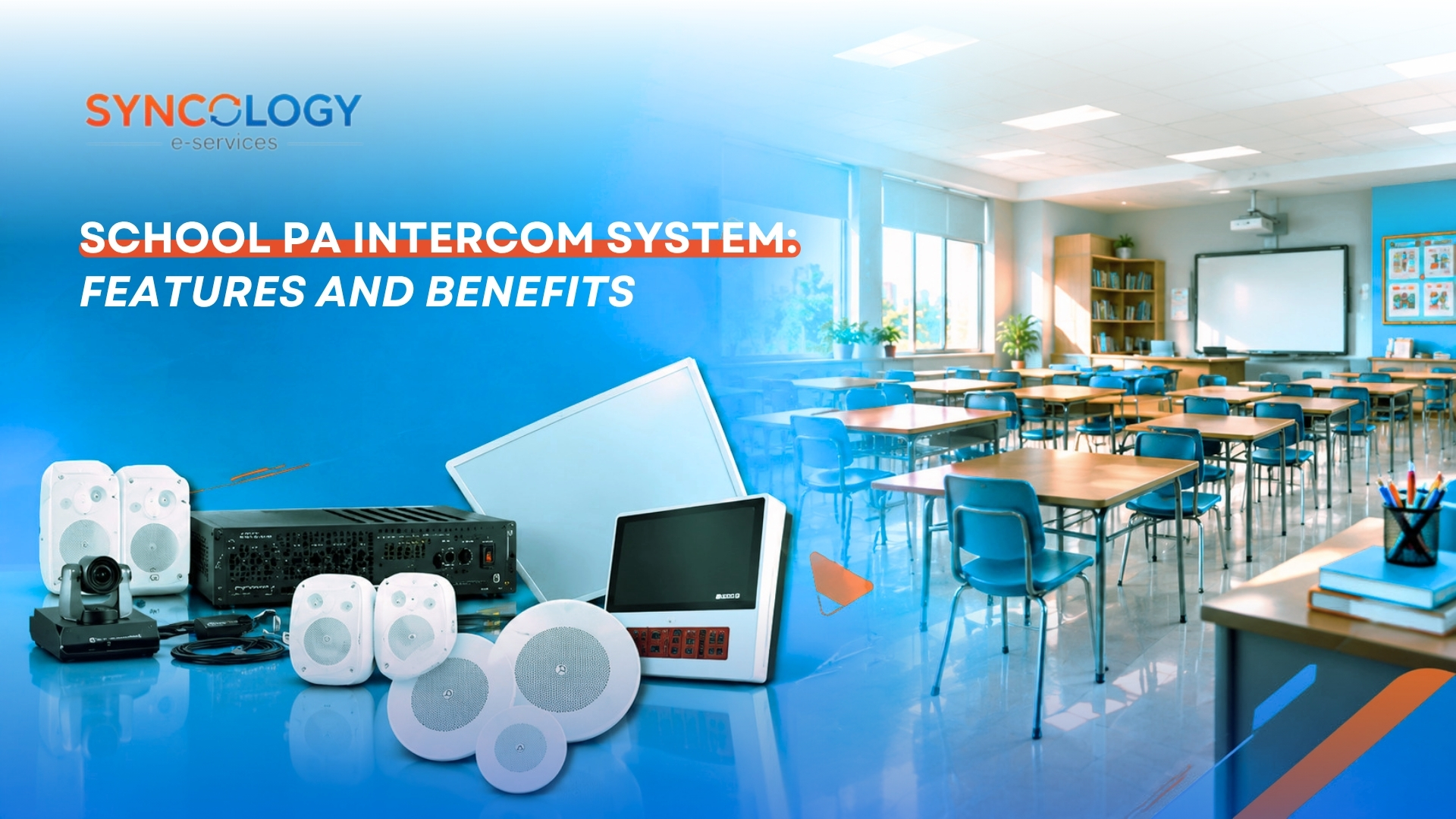
The overall performance of any school PA intercom system relies on how its hardware and software elements work in unison. A breakdown in one component can impair audio quality across the entire facility.
- Speakers: Distribute sound evenly to classrooms, hallways, administrative suites, and outdoor athletic zones.
- Microphones and paging stations: Enable authorized staff to speak live broadcasts, trigger pre-recorded audio files, or make targeted room calls.
- Amplifiers: Supply the necessary electrical power to drive passive loudspeakers across long wiring runs without signal degradation.
- Audio controllers and mixers: Manage audio inputs, volume routing, background audio sources, and zone selection.
- Intercom endpoints: Facilitate targeted two-way room communication between administrative offices, security desks, and individual classrooms.
- Cabling and network infrastructure: Transmit analog audio signals via shielded twisted-pair wire or carry digital audio data packets securely over IP networks.
- Management software: Streamlines device control, bell scheduling, volume adjustments, and zone configuration in modern IP-based setups.
- Power backup solutions: Uninterruptible Power Supplies (UPS) maintain system operation during unexpected power fluctuations or short outages.
Customizing these core elements ensures the selected school PA intercom system matches structural layouts, budgetary limits, and future expansion goals.
Speakers & Zones
Selecting appropriate speakers and configuring audio zones is essential for ensuring clear sound transmission without creating unnecessary disruption in non-target areas.
1. Why speaker selection matters
Different architectural zones have unique acoustic requirements. Classrooms demand balanced speech coverage, while gymnasiums and outdoor yards require higher output speakers to overcome background ambient noise. Choosing the wrong speaker type leads to muffling, harsh echoing, or dead spots where announcements cannot be heard.
2. Common speaker types
- Ceiling speakers: Ideal for indoor rooms with dropped ceilings, such as classrooms, libraries, and administrative offices.
- Wall-mounted box speakers: Excellent for hallways, stairwells, or classrooms with high concrete ceilings where flush mounting is impossible.
- Horn speakers: Designed for outdoor playgrounds, athletic fields, parking lots, and high-noise indoor spaces like woodshops or gymnasiums.
3. What are audio zones?
Zones allow independent audio distribution to specific designated areas—such as individual classrooms, specific grade-level wings, office areas, or athletic fields—rather than forcing every message to play campus-wide.
4. Why zoning is useful
Zoning prevents notification fatigue by restricting announcements to relevant areas. For example, a dismissal reminder for third graders can be routed strictly to elementary wings without interrupting high school testing environments.
5. Audio clarity and acoustic design
Proper placement, reverberation control, and volume balance ensure high intelligibility without painful distortion or echoing. Increasing volume alone does not improve audio clarity; system designers must account for ambient noise levels and hard surfaces.
6. Installation and accessibility
Thoughtful wiring and compliance with accessibility needs ensure every student and teacher benefits from the school PA intercom system. Integrating visual flashing strobes alongside ceiling speakers helps hearing-impaired individuals recognize bell changes and alerts.
Public Address & Emergencies
While everyday announcements form the bulk of system usage, the role of a school PA intercom system during urgent situations is paramount to campus safety planning.
1. The role during urgent situations
A school PA intercom system assists in broadcasting immediate safety instructions during severe weather warnings, medical lockdowns, active security risks, or building evacuations. A central voice broadcast gives administrators immediate control over campus movement.
2. Emergency vs. routine announcements
Emergency broadcasts require priority override permissions and distinct tone sequences to capture immediate attention. Regardless of what background music, bell chime, or internal call is occurring, an emergency page must override all lower-priority audio streams automatically.
3. Message clarity and intelligibility
Concise, calm, and clearly articulated instructions save critical seconds during crises. Pre-recorded emergency announcements stored within the school PA intercom system reduce human error and panic during high-stress scenarios.
4. System reliability
Backup power supplies, redundant amplifier channels, and robust cable routing ensure functionality under physical stress or power failures. Regular maintenance checks keep the system ready for unexpected events.
5. Staff roles and training
Clear protocols dictate who is authorized to initiate emergency messaging and how staff execute responses. Schools must practice communication procedures regularly as part of their broader emergency preparedness drills.
6. Accessibility and alternative communication
Combining audio alerts with visual strobes, digital signage integrations, and desktop notification pop-ups ensures full accessibility across all learning spaces.
7. Compliance and system selection
Life-safety integrations must comply with local building codes and fire safety standards. It is crucial to remember that a standard school PA intercom system is not automatically a certified life-safety voice evacuation system unless built to specific regulatory certifications.
Linking to Alarm Systems
Integrating audio communication with existing security and life-safety systems creates a coordinated response network across the facility.
1. What does alarm-system integration mean?
Linking audio systems with physical security hardware allows automated triggers—such as a fire alarm pull station or panic button—to initiate pre-programmed voice messages or warning tones across specific zones.
2. Potential integration scenarios
- Automatically playing pre-recorded evacuation instructions when a fire alarm is activated.
- Triggering a campus lockdown tone and pre-recorded alert when security personnel hit an emergency panic button.
- Muting routine PA announcements and class bells automatically during an active alarm state.
3. Types of systems involved
Systems frequently linked with a school PA intercom system include fire alarm control panels, access control software, security intrusion alarms, and automated bell schedulers.
4. Technical compatibility
Integration relies on supported API interfaces, dry-contact relay closures, IP network protocols, and manufacturer alignment. School IT managers must verify hardware compatibility before purchasing new components.
5. Priorities and control permissions
Life-safety alarms must take absolute precedence over routine school PA intercom system announcements. System logic must prevent daily classroom chatter from interfering with life-safety signals.
6. Testing and commissioning
Regular joint testing of the alarm systems and audio infrastructure ensures connected components operate safely and harmoniously without unexpected software glitches.
7. Safety and compliance
All integrations must satisfy local building codes, electrical standards, and safety regulations. Certified safety engineers should oversee any connection between general PA hardware and life-safety systems.
Cost & Installation
Planning a new school PA intercom system installation requires analyzing initial capital expenditure alongside long-term operating costs.
1. Main cost factors
- Hardware counts: Number of speakers, microphones, paging consoles, and intercom endpoints.
- Central electronics: Amplifiers, audio controllers, network switches, and power supplies.
- Infrastructure: Cabling type (Cat6 vs. 70V speaker wire), conduit runs, and patch panels.
- Software and licensing: IP audio management software, feature licenses, and ongoing updates.
- Labor: Professional installation, system programming, audio tuning, and staff training.
2. Wired vs. network-based systems
Traditional 70V analog systems offer straightforward, cost-effective wiring for basic paging over long distances. Modern IP-based digital systems connect via standard network cables, offering superior flexibility, per-speaker software control, easier scalability, and seamless integration with school IT networks.
3. Assessing existing infrastructure
Evaluating existing conduit pathways, network bandwidth, network switches, and electrical outlets helps prevent unexpected installation delays and budget overruns.
4. Installation planning
System integrators must map optimal speaker placement, run pathway cabling, define logical audio zones, set up paging console permissions, and program schedule software before deployment.
5. Testing and commissioning
Technicians must verify volume calibration across every room, test zone selection accuracy, evaluate paging override priority, and confirm alarm linkages prior to handing the system over to school administrators.
6. Training and maintenance
Ensuring office staff, administrators, and IT personnel are thoroughly trained to operate the school PA intercom system reduces operational errors and extends hardware lifespan.
7. Total cost of ownership
Looking beyond initial purchase prices allows schools to account for energy consumption, software updates, periodic speaker maintenance, and future expansions as campus enrollment grows.
Conclusion
A properly designed school PA intercom system streamlines daily announcements, departmental communication, and urgent safety coordination. Choosing the right setup requires evaluating speaker coverage, audio zoning, infrastructure compatibility, and emergency response capabilities. Schools must define their operational goals before purchasing equipment, keeping in mind that routine public address hardware complements but does not replace certified life-safety systems.
Looking to build a more connected and organized school environment?
Explore how Syncology can support your school’s digital management journey and help you assess the technology requirements that best fit your institution. Contact Syncology today to discuss your campus communication needs and discover tailored administrative solutions.
Frequently Asked Questions
What is a school PA intercom system?
A school PA intercom system integrates public address broadcasting with two-way intercom communication to manage daily announcements, coordinate departments, automate bell schedules, and deliver instructions across school facilities.
What is the difference between a PA system and an intercom system?
PA systems broadcast audio outward to broad groups or the entire campus, whereas intercom systems facilitate direct, interactive two-way communication between specific locations, such as the main office and a classroom.
Why do schools need a public address system?
Schools use these systems for morning notices, schedule transitions, event coordination, administrative messaging, and broadcasting important instructions efficiently across multi-building campuses.
What are the main components of a school PA system?
Key elements include speakers (ceiling, wall, or horn), paging microphones, power amplifiers, audio controllers, cabling or IP network infrastructure, and management software.
Can school PA systems broadcast to different zones?
Yes, zone-based configuration allows administrators to send specific messages to targeted rooms, floors, grade-level wings, or outdoor yards independently without disturbing the entire school.
Can a school PA intercom system connect to fire alarms?
Integration is possible provided the hardware supports compatible interfaces, certified relay protocols, and local building safety regulations to trigger pre-recorded evacuation notices automatically.
Is a regular PA system sufficient for emergency evacuation?
Standard public address setups are not automatically certified emergency voice evacuation systems. Life-safety evacuation systems require specialized regulatory compliance, supervision, and approvals.
How much does a school PA intercom system cost?
Costs depend on campus size, total speaker quantities, zoning complexity, hardware tier (analog vs. IP-based), cabling requirements, software licenses, and professional installation fees.
How often should school audio systems be maintained?
Maintenance schedules should follow manufacturer guidelines, usage levels, and routine safety inspections. Regular checks ensure amplifiers, microphones, and backup power supplies remain fully operational.
What should schools consider before installing an audio system?
Key considerations include room acoustics, speech intelligibility, zoning needs, existing IT cabling infrastructure, accessibility options, safety compliance, and future campus scalability.